














"They’re nothing but a crutch," my friend Saul said over the phonefrom Los Angeles.
"Well, you know how I am," I replied. "I need allthe help I can get."
It was good that he couldn’t see the smile on my face. Or my wife’srolling her eyes to heaven.
"Sure," Saul said sourly. "Help. You didn’t seemto need any help in Alaska. And you flew a lot of IFR there. Whenyou weren’t landing on those glaciers and gravel bars."
"Yeah," I replied. "But now that I’m in Tucson…"And I was no longer kidding, for here the need for an FD/AP systemwas obvious. With all the traffic, ARSAs and TCAs and snitch patchesand enforcement lunacy, the Lower 48 is not the tranquil wildernessI am accustomed to flying in.
"Okay," Saul sighed, giving up on me. "I’ll bein Tucson on Thursday. If your plane’s out of the shop on scheduleyou can give me a demo flight. But I still think you’re makinga mistake."
"Well, we’ll find out shortly," I said. And we agreedto meet at my home strip.
The "crutch" concept seems to be widespread, and perhapshas more than an element of truth to it. But just as any toolcan be misused, so too can Flight Director/Autopilot systems.Yet to the pro, the FD/AP is an exquisite tool that, by takingsome of the low-level "grunt work" of flying (much asa computer does for the accountant), allows the pilot to pay closerattention to certain details that lately are becoming more importantto flight safety. These details include position awareness, subtletiesof navigation, and, when in VMC, an enhanced ability to keep asharp scan for traffic while still adhering precisely to altitudeand heading restrictions. This is especially important in TCAsand ARSAs.
And, sitting on top of this high workload when operating single-pilotIFR, is the fatigue factor. Anything that can help lower fatigueat the end of a long hard flight, when a critical approach tominimums is in the offing, is worthwhile.
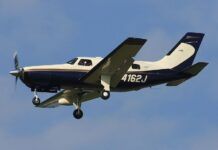
While flight directors and autopilots have a certain family resemblancein how they operate and are operated, in this article we willbe taking a look at the King KFC 150 FD/AP as installed in a TurboCessna 206. This unit, which is currently state-of-the-art forlight aircraft, is showing up in most new singles, as well astwins, and is very popular for retrofit. The tips and suggestionsgiven for operating this unit can, in most cases, be applied toolder, and less capable, FD/AP systems. We will look at how prosoperate these systems during takeoff, climb, level off, holding,and descent, and how best to use them for an ILS approach.
The KFC 150 is a two-axis autopilot combined with a flight directorcomputer that, as King points out in the manual, "calculatesthe appropriate pitch and roll attitudes required to interceptand maintain headings, courses, approach paths, pitch attitudesand altitudes."
These commands are shown to the pilot through the use of an inverted-Vcommand bar in the artificial horizon. The KFC 150 also uses aslaved HSI for course and heading selection; and has a control-wheelinsert that provides control for autopilot disconnect, manualelectric trim, and CWS (control wheel steering).The computer,mounted in the radio rack, has a set of mode annunciator lightsand buttons for controlling the various modes.
With this setup, you have the option to hand-fly the airplanein the normal manner, hand-fly it using the FD command bar, orlet Uncle Otto do all the flying for you. So let’s go out to theairplane and put it through its paces on a typical ILS approach.
Before takeoff
Prior to takeoff, it’s necessary to run a check of the FD/AP’scomputer, servos, and trim interrupt functions to make sure theywork correctly, and that the servos, in case of an emergency (usuallya runaway trim condition), can be overpowered manually.
These test sequences, which vary somewhat from model to model,can be found in the POH and should be added to the airplane’schecklist.
It will also be necessary to set the airplane’s avionics and HSIfor the initial portion of the flight, which in this case willbe a departure from Tucson to intercept the TUS R-256 radial toDRIBB, followed by the Ryan runway 6 ILS.
The best way to do this is to set Nav 1 to the Ryan LOC, withthe HSI course pointer set on the inbound localizer course(058degrees); set Nav 2 to the TUS VOR, with 256 in the OBS; and theADF to RBJ NDB. The DME should be set to Nav 2.
On the HSI, set the HDG bug to runway heading, which, since youwill be departing Tucson’s runway 11L (TUS VOR is off the endof this runway), will be 123 degrees. These settings will allowyou to takeoff, intercept the TUS 256 degree radial, fly it toDRIBB, enter the holding pattern, hold, then fly the ILS to DH,all without resetting the navs.
Takeoff and Initial Climb
With the FD/AP system off, make a normal takeoff, then clean theairplane up and go to best-rate-of-climb airspeed and power settings.At this point, Uncle Otto can be turned on, and this is best doneby first pressing the HDG mode button, which will also engagethe FD, causing its command bar to appear in the artificial horizon.The command bar will command wings level, and whatever pitch theairplane happens to be flying at the moment.
Here the first airborne crosscheck of the system is made, andthis is done by matching the logic of the FD command bar withwhat the airplane is actually doing as shown by the AH and theperformance instruments (ASI, VSI, DG, etc.).
Then the HDG bug is checked to see that it matches the currentheading the airplane is flying. If it does not match, set it eitherto that heading, or the one you wish to fly. Finally, the AP ENGbutton is pressed. That will engage the autopilot, and the airplanewill fly the FD commands.
Intercepting a Radial
About this time, tower will usually instruct "resume normalnavigation, contact departure." This, of course, means tointercept the TUS 256 degree radial, and to do this you will usethe HDG bug.
Just turn it to the intercept angle you wish Uncle Otto to use,and the airplane will make a nice smooth standard-rate turn ontothat heading. If your airplane has Nav 2 interfaced with the FD/APsystem, you can press the NAV button and Uncle Otto will smoothlyintercept and fly the radial.
If you don’t have Nav 2 interfaced, you will have to track theradial manually, using the HDG bug.
This is no big deal, since you will be using the exact same instrumentscan flying a FD/AP system as you would were you hand-flying theairplane—with one exception. With the FD engaged, you will wantto monitor its commands to make sure that its logic remains correct(in other words, that the command bar moves in the correct directionwhen you adjust the HDG bug, and maintains the correct pitch attitude).
Leveling Off
There are four ways to level off at our assigned altitude. Themost elegant is to have King’s optional altitude select and verticalspeed selector. One just presets the desired altitude and rate,and Uncle Otto does the rest.
But as this feature costs about $6,000, and most of us can findbetter places for the money, I will deal only with the manualmethods here.
The method the pro will usually choose is the CWS (control wheelsteering) method. This button, on the yoke, temporarily disengagesthe AP, in effect telling the FD to "standby for new pitchand heading instructions." Here is how it works with theTurbo Cessna 206:
Climbing at best rate, which is better than 1,000 feet per minute,you will have 88 knots and 10 degrees of pitch up.
Fifty feet below your target altitude, press the CWS button andmanually lower the nose to 0 degrees pitch as you intercept youraltitude. You will then release the CWS button, and once againUncle Otto will take over. All that remains now is to press theALT hold button, set in cruise power settings, close the cowlflaps, and retrim the rudder (if the rudder is out of trim, theFD/AP will not track heading accurately).
An alternate method, often used by those pilots who take a laid-backattitude toward their flying, is to use the vertical trim controlrocker switch, which readjusts the pitch servo. Here you will,at approximately 500 feet below your target altitude, start tolower the airplane’s nose by easing the rocker switch forward.Using a light touch, continue to adjust pitch attitude as requireduntil your target altitude is reached. Once on target, press ALThold, and rig for cruise.
The fourth method could be considered the bump-on-a-log approach.Here you would just wait until the airplane reached your targetaltitude; then, as you shot through it you would press the ALThold button. Unfortunately, this will cause an overshoot of approximately150 to 200 feet, and under some conditions will be enough to activatean ATC snitch program.
Of these methods, pilots who stay in the loop with a good instrumentscan (and everyone should) seem to prefer using the CWS method.Pilots who use their FD/AP systems as a crutch use the bump-on-a-logmethod. The vertical trim method is kind of half-way between thesetwo extremes.
Slowing for the Approach
Instrument flying is attitude flying, and attitude flying is doingit by the numbers. It is an old principle that "attitudeplus power equals performance." Using a FD/AP system doesnot change this, and in fact these systems cannot be flown properlyunless they are flown by the numbers.
A good example of this principle is slowing to the holding/approachconfiguration. With the Turbo Cessna 206, the target airspeedwill be level flight at 100 knots using 10 degrees of flaps. Threeor four miles from DRIBB, reduce the power to 22 in. Then, veryslowly, feed the flaps in, using small increments so the autopilot,which has to keep up with you through slow trim adjustments, willnot fall behind causing the airplane to balloon off altitude.Then retrim the rudder.
If your airspeed is off slightly, a small power adjustment willbring it on target. This speed you will maintain all the way toDH, unless requested otherwise by ATC.
Flying the Hold
Going around and around in a race track pattern burning expensivefuel is the bane of instrument flying, and while there is nothingthat will make holding pleasant (the fix off LAX named LIMBO beinga perfect example), the FD/AP goes a long way towards making holdingpatterns less of a pain. Using it, all we have to do is enterthe thing, then time our legs and make the necessary adjustmentsfor the current wind conditions while we await our EFC time.
To do this at DRIBB, you will simply turn the HDG bug to a 305degree heading to make a parallel entry. The rest is by the book,except that Uncle Otto does the grunt work while you keep trackof where you are.
However, it should be noted that there are two ways to make turnsusing the heading mode: The first method (and the one most used)is to just turn the HDG bug to the desired heading, and, withfeet flat on the floor, let Otto make a standard-rate turn foryou. The problem is that the ball of the turn coordinator endsup half out of its cage, which is sloppy flying. This is a ‘crutch’technique.
The second method is to feed in a bit of rudder with your turn,keeping the ball centered, and this is one of those subtle touchesthat separate the pros from the Sunday pilots.
Approach Descent
From your cruise/holding altitude of 6,000 feet (in this example),you will have to descend to the published GS intercept altitude.Once again, it should be done by the numbers. In the 206, turnthe ALT hold off, then reduce power to 15 inches. Then using CWS,lower the nose to -2.5 degrees, and retrim the rudder.
This will maintain knots and produce a 500 foot per minute descent.As you have 1,000 feet to lose, descent will take two minutes.Note that these numbers will be different for different airplanes,as are the procedures. The numbers here serve as a proceduralexample.
Fifty feet from your target altitude, raise the nose (using CWS)to 0 degrees as you intercept the target, then press ALT to maintainit. After that, reset the power to your level approach setting,and retrim the rudder.
A word of caution: FD/AP systems use elevator for altitude control,and power for airspeed control. Therefore, neglecting to increasepower after activating the ALT hold will cause the nose to raiseas the FD/AP attempts to maintain the assigned altitude, whichwill cause the airspeed to drop. This can lead very quickly toa stall.
Localizer Intercept
There are two ways to intercept a localizer using the KFC 150.The easiest way is to use its any-angle intercept abilities bysetting the HSI course pointer on the LOC course and the HDG bugto the desired intercept angle, then pressing the APR button.Once this is done, the APR annunciator light will start to blink,telling you the APR mode is armed.
On LOC intercept, the HDG light will go out, indicating the headingmode has been disengaged, and the blinking APR light will turnsteady, indicating that the FD/AP has locked onto the LOC.
However, coming out of the holding pattern at Ryan proves sucha sharp intercept angle that if you used the above method, youwould overshoot the localizer, almost full scale. From there,the FD/AP will go through considerable hunting and seeking untilit once again settles on a stable heading. As you would not flythat crudely were you flying the airplane manually (unless youwere following the FD cues), why should you let Otto get awaywith it? A better way is to simply manually intercept the LOCusing the HDG bug, then press the APR button when on course.
GS Intercept
As you approach the glideslope, the GS pointers on your HSI willcome alive, and start down the scale. When their bottom edge reachesthe center line of the deviation scale, reduce power to the glideslopesetting that will maintain 100 knots. On the 206, that’s 14 in.to 15 in.
At this point, the ALT annunciator light will go out, the GS lightwill come on (showing GS capture), and the command bar will commandnose down. The nose will drop, and you will start down the hill.
As the FD/AP system uses elevator to maintain glideslope, youwill have to adjust power to maintain your desired speed. If youhave a strong headwind, you will need a bit more power than yourstandard setting to maintain 100 knots. If you have a tailwind,you will need a touch less. But once set, you should not haveto touch your power setting until reaching DH.
Naturally, as you always must when making pitch or power changes,you will have to retrim the rudder once again so the ball is inthe center of its cage and the FD/AP is tracking correctly. NoteFD/AP systems are designed to intercept the GS from low; however,the KFC 150 will make the intercept from above if you fly it ontothe GS using the CWS control—a useful feature for those rareoccasions when a bad vector puts you on the localizer a bit toohigh for a normal glideslope intercept.
Runway in Sight
The way I like to fly a FD/AP system on an ILS approach is tolet Uncle Otto take it to about 400 feet above DH, then use thered autopilot disconnect/trim interrupt button on the controlwheel to disengage the autopilot so I can fly the rest of theapproach manually. Also, at this point I like to set the propto maximum RPM and mixture to full rich, in anticipation of amissed approach. Most other pilots I know prefer to leave theFD/AP coupled until DH, then take it from there.
Naturally, once you have the runway environment in sight, youwill make a normal landing; but in low IMC, it’s good practiceto follow the LOC/GS all the way to touchdown. That will preventan optical illusion from grabbing you; and if an unexpected go-aroundsuddenly became necessary you would still be on the publishedapproach.
Unfortunately, not all our autopilots handle missed-approach thesame way. In my Turbo Cessna 206, this is how the missed approachis executed. First, go to best-rate-of-climb power and airspeed(pitch). Power, as always, even in a missed approach, should beapplied smoothly and precisely. Then, use the electric trim toremove elevator pressure as the 10 degrees of flaps are retracted.Finally, retrim the rudder. At the appropriate point, reengagethe FD/AP system by pressing the HDG button (making sure the HDGbug was where you wanted it), then the AP ENG button.
And how do you determine the appropriate point to reengage theFD/AP system? Well, that’s easy. As soon as you have a positiverate of climb and the airplane is nicely cleaned up and safelyon course, Uncle Otto can be trusted with it. However, close tothe ground it is wise to hand-fly the airplane. If a problem wereto develop, such as runaway trim, you’ll have more time and altitudeto deal with it if you’re well above DH.
Some FD/AP systems have a "go-around" button that willcommand a certain nose-up pitch angle and wings level; with thisfeature you can simply add power, push the button, go to NAV mode,and let Uncle Otto fly you out of trouble. My personal thinkingis that close to the ground on a go-around, I want to be flyingmanually; this is perhaps King’s thinking as well, for while itwould have been an easy to add a go-around button to the KFC 150,they didn’t bother to do so.
"Interesting," Saul said, looking out the windshieldat the scattered clouds around us. "The FD/AP system doesn’treally lighten your workload on approach, it just seems to transferit."
"Yes," I agreed. "Instead of constantly havingto concentrate on basic control functions, it permits us to focusmore of our attention on the subtleties of procedure, navigation,and cross-checking. In other words, one is able to take a moremethodical approach to their instrument flying."
"Well," Saul said, "that takes care of the ‘crutch’theory; though, of course, many pilots do use it that way. Buthaven’t we just scratched the surface today? Seems all we didwas cover the basics—surely there is more to it than what you’vehad to show me so far."
"There is," I admitted. "I especially would liketo show you a few of the more advanced techniques, such as thoseused to vary speed on an ILS. With the Cessna 206, we can beginour approach at 140 knots; then, while actually on the ILS, slowto 80 knots just prior to reaching DH—all without deviating fromthe LOC or GS. But that’s for another day."
Understanding FD Displays
When first confronted by a flight director, a pilot who has neverseen one is sure to be utterly confused by what the display isreally showing. The overwhelming impulse (and a perfectly logicalone) is to just disable the thing and fly raw data.
Given the state of the training fleet these days, this reactionis understandable. By the time most instrument students are readyfor the checkride, few will have seen a flight director, let aloneflown with one. Rare indeed is the FBO rental with even an HSI;a flight director is luxury beyond all expectation.
To make sense of the FD display, it helps to think of the flightdirector as what it really is: a very simple analog computer.True, the computing circuitry may be digital, but the logic thatdrives most general aviation flight directors is analog, meaningthat it works by comparing inputs and resolving them to achievea certain flight path.
Functional schematics of FD/APs look like fuel system charts,with various lines from the tanks and to the engines convergingon single valve. For this analogy, the valve is the FD computerand the lines to it furnish inputs: pitch and roll informationfrom the gyros; (or pressure sensors, in some cases) heading datafrom the bug; nav data from the avionics. The computer comparesthese inputs with what the pilot has asked the flight directorto do then figures out a flight path that will get the airplanewhere the pilot wants it. If the autopilot is engaged, part ofthe computer’s output instructs the pitch and roll servos to flythe commanded flight path. Whether the AP is engaged or not, however,the computer’s output moves the command bars to give the pilotsteering cues—both pitch and roll—to achieve what the pilothas asked for. That, in a nutshell, is what the FD display does:it provides in a single display information from several instruments,thus considerably reducing the pilot’s need to scan and integrateraw data and navigate at the same time. Various flight directordisplays have evolved over the years but most are variations oftwo basic designs: the single-cue, which is the most popular,and the two-cue. One of the earliest single-cue types and onethat’s still found in older light twins, is the Bendix DH-841.This display has a pair of command dots (sometimes called "bouncingyellow balls) that just touch the wings of the attitude gyro’sminiature airplane. To command pitch, the dots move together vertically;to command roll, they move differentially. By keeping the wingsaligned with the dots, the pilot satisfies the FD commands.
The modern single-cue FDs—King’s KI-256, Century’s 2000 and S-Tec’s60-series, to name a few—have a pair of v-bar command bars anda delta-winged miniature airplane. As with the dots on the Bendix,the bars move together for pitch and differentially for roll.The pilot satisfies FD commands by flying the delta so it’s upperedge is flush with the bottom of the v-bars.
Less common but still available are two-cue displays that havea horizontal bar for pitch and a vertical bar for roll. Flyingtoward the bars and keeping them centered will satisfy the commands.However, many a pilot has been baffled by what the two-cue displayis actually showing, especially on an ILS. It’s only natural toassume that the vertical bar is the localizer, the horizontalthe glideslope. So, if both bars are centered, the airplane mustbeen on the localizer and glideslope, right?
Not necessarily. Centered two-cue FD bars tell you nothing aboutwhere the airplane actually is relative to localizer and glideslope.All they do is confirm that you’ve satisfied the commands andthat at your present bank and pitch, you’ll eventually get tothe localizer and slope. The only way to judge your actual relationshipto the course (and your arrival there) is to monitor raw data;the HSI’s course deviation indicator and the glideslope flags.This is true of single-cue displays as well but they’re less likelyto create confusion because there’s no similarity to LOC/GS needles.
Although the FD does reduce the scan load, it doesn’t entirelyrelieve you of having to look at the other instruments. As a matterof habit, you should always cross check what the FD is tellingyou against raw data, whether you’re hand flying the FD or havingthe autopilot do a coupled approach.
