

















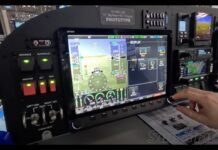










 When Garmin first announced its forthcoming big-screen color mapcom in 1999, my salivary glands took on a life of their own. I just knew I had to have one! It’s been a long wait, but it was definitely worth it. After four months of flying with the GNS 530, I can say without reservation that I love this box!
 This radio isn’t for everyone. The $14,995 list price (plus installation) is not for the faint of heart. If you fly mostly VFR, you’ll probably be disappointed that the GNS 530 has no provision for displaying sectional charts or terrain contours, a capability offered by several big-screen multi-function displays (e.g., UPSAT Apollo MX20, Bendix/King KMD150) that cost a third as much.
Garmin clearly designed the GNS 530 for serious IFR. They bill it as “the world’s finest panel-mounted IFR navigation/communications system,” and from the perspective of this particular IFR junkie, that’s no exaggeration. Garmin’s software wonks have stuffed this box full of every feature I could have hoped for, plus a bunch I wouldn’t have thought of. They’ve integrated GPS, VOR, ILS, VHF comm, and moving-map functions with a Jeppesen-supplied database of mind-boggling scope, creating a level of automation and situational awareness that IFR pilots like me have only dreamed about until now.
 Two years ago, I installed a Sandel SN3308 Electronic HSI in my airplane, and I’m delighted to report that the Garmin GNS 530 and the Sandel SN3308 are a marriage made in heaven. In fact, the combination provides a level of automatic flight control that rivals what you’d find on a glass-cockpit airliner or bizjet. The Sandel and Garmin units are tightly coupled together via an ARINC 429 serial data bus, and software engineers at the two companies expended considerable effort to make sure that the two boxes would play together seamlessly. The SN3308 takes course-change commands from the GNS 530, adds gyroscopic heading information from a slaved heading gyro, and feeds the resulting course datum to the autopilot. With this setup, IFR flight becomes so automated you may be tempted to curl up in back and take a nap while the computer flies the airplane! (I exaggerate slightly, but it truly is amazing.)
It’s tough to do this system justice with mere words, because flying with it is such a profoundly visual experience. It’s a lot easier to show you what it does than to tell you what it does. So let me invite you along as copilot on a mission I actually flew last week from my home base of Santa Maria, Calif. [SMX], to Los Angeles International [LAX] and return. First I’ll give you a short briefing on the GNS 530’s generous complement of knobs and buttons. Then we’ll launch for LAX and you can watch the box in action.
 After we return from our round-trip flight, we’ll compare the GNS 530 to its smaller Garmin siblings (the GNS 430, GNC 420 and GPS 400), and discuss some considerations when planning an installation of one of these navigators.
Sound like a plan? Okay, let’s do it!
Button-Pushing Basics
The GNS 530’s six knobs and 14 buttons seem a bit intimidating at first, but their use quickly becomes second nature. Here’s a ten-cent tour.
 Left-side controls (top to bottom)
The COM flip-flop key swaps the active and standby COM frequencies. Press and hold to select 121.5.
The COM volume knob powers up the unit and controls the COM audio level. Press to toggle the automatic squelch off and on.
The NAV flip-flop key swaps the active and standby NAV frequencies.
The NAV volume knob controls the NAV audio level. Press to toggle the ident filter off and on.
The large concentric knobs tune the MHz (outer) and KHz (inner) standby frequency for both COM and NAV receivers. Press the inner knob to toggle the tuning cursor between COM and NAV.
 Right-side controls (top to bottom)
The range key zooms the map scale in and out.
The direct-to key tells the GPS navigator to fly direct to a designated waypoint (specified by identifier, chosen from the active route, or taken from the map cursor position).
The menu key displays a menu of functions related to the currently-displayed page.
The clear key cancels an entry or erases information. Press and hold to return to the default navigation page.
The enter key accepts a menu function or data entry.
The large concentric knobs are used to select the page you want to view — outer knob selects among page groups (NAV, WPT, AUX, NRST) while inner knob selects the particular page within the group. Pressing the inner knob toggles the on-screen cursor on and off. With the cursor enabled, the outer knob moves the cursor from field to field, and the inner knob is used to enter data or select from a pick-list.
Bottom-row controls (left to right)
 The CDI key toggles which navigation source (GPS or VOR/LOC) provides output to your HSI or CDI and your autopilot nav coupler. A mode annunciator (“GPS” or “VLOC”) appears on the screen above this key.
The OBS key toggles between automatic and manual waypoint sequencing. Pressing the key suspends automatic waypoint sequencing (“SUSP” is displayed on the screen above this key) and lets you select the desired course to or from the current waypoint using the OBS on your HSI or CDI.
The message key is used to view system messages. “MSG” is displayed on the screen above this key to alert you that a message is available for viewing.
The flight plan key displays the active flight plan page for creating and editing the active flight plan or accessing stored flight plans.
The vertical navigation key displays the VNAV page for programming climbs and descents.
The procedures key allows you to select IFR departure procedures (formerly SIDs), arrival procedures (STARs), and approaches (SIAPs) from the database and load them into the active flight plan.
Enough Theory … Let’s Go Flying!
The plane is out of the hangar, preflight complete, pax strapped in and briefed, and engines started for our flight to LAX. Avionics master on and the glass cockpit comes to life..
 | We’re pre-filed to LAX at 9000 feet via the Santa Maria BUELT1 departure to RZS (San Marcus VORTAC), then via the Los Angeles SADDE6 arrival to LAX. Estimated flight time will be 43 minutes. (To fly this trip using an earlier-generation GPS would involve the cumbersome process of dialing in a whole bunch of fix identifiers to create a flight plan. With the GNS 530, however, the only identifier we’ll dial in is the destination: KLAX. Everything else we need to fly this trip — departure, arrival, and approach — is already in the database.) |
 | At power-up, the GNS 530 performs its power-on self-test, after which its 12-channel GPS engine acquires a position fix. This typically takes 15 seconds, although a “cold start” can take up to 45 seconds maximum. As soon as the GNS 530 fixes our position at Santa Maria, the NAV-3 page automatically displays all the relevant frequencies for SMX. |
 | Placing the cursor on any of these frequencies and pressing ENT loads the frequency into the COM standby window. To start, we load ATIS (121.15) and Ground (121.9), and pick up our IFR clearance: “Cleared to Los Angeles International via the BUELT1 departure, RZS transition, SADDE6 arrival. Climb/maintain 5000, expect 9000 10 minutes after departure. Contact Los Angeles Center on 119.05. Squawk 4735. Flow window is 20 to 22 past the hour, time now 05.” |
 | To program the GNS 530 for our route, we’ll start with the BUELT1 departure for SMX. Pressing the PROC key brings up the procedures menu. We move the cursor to “Select Departure?” using the outer knob, then press ENT to confirm our choice. |
 | The GNS 530 has already figured out that we’re at SMX, and its database indicates SMX has only one published departure procedure: the BUELT1 departure. The box asks which runway we’ll be departing. We select RW30 and press ENT. |
 | The BUELT1 departure includes a number of transitions, so the box lists them and asks which one we want. We select RZS (the San Marcus VORTAC) and press ENT. |
 | The GNS 530 displays a map view of the BUELT1 departure with the San Marcus transition highlighted, and asks whether we’d like to load this into our active flight plan. We press ENT to confirm that we do. (If we didn’t, we’d press CLR instead to cancel the operation.) |
 | The GNS 530 now switches automatically to the active flight plan page to show us that the BUELT1 departure and RZS transition are loaded. The magenta arrow indicates that the first fix we’ll be navigating to after takeoff is BUELT intersection. |
 | To finish setting up our route to LAX, we need to enter the SADDE6 arrival (STAR). We press the PROC key once again to bring up the procedures menu. This time, we choose “Select Arrival?” and confirm by pressing ENT. (Note the lower part of the procedures screen, showing that we’ve loaded a departure procedure, but not yet an arrival or approach.) |
 | We haven’t yet told the GNS 530 our destination, so we need to do that now by turning on the cursor, positioning it to the “APT” box at the top of the arrival page, and dialing in the identifier “KLAX” using the concentric knobs. We then press ENT to confirm our entry. (This is the only identifier we’ll need to dial in!) |
 | LAX has a dozen different published arrival procedures (STARs), so the box presents us with a pick list. We scroll down to the SADDE6 arrival and press ENT to confirm our choice. |
 | The SADDE6 arrival has a bunch of transition routes, and the box asks us to choose one. We scroll down to RZS (San Marcus) and press ENT to confirm our choice. |
 | The GNS 530 displays a map view of the SADDE6 arrival with the San Marcus transition highlighted, and asks whether we’d like to load this into our active flight plan. We press ENT to confirm that we do. (Again, we could cancel by pressing CLR.) |
 | Once again, the GNS 530 switches automatically to the active flight plan page to show us that the SADDE6 arrival and RZS transition are loaded. (Note that the RZS previously at the end of the BUELT1 departure has been automatically deleted, since it is identical to the RZS at the start of the SADDE6. Those Garmin programmers don’t miss a trick!) |
Wheels Up!
Satisfied that the GNS 530 is programmed for our route and ready to go, we taxi to the runup area, complete our runup and before-takeoff checklists, and verify that our ATC-assigned wheels-up time is still a comfortable few minutes away.
 | Switching to the NAV-3 page, we select the COM frequencies for SMX Tower and Los Angeles Center from the frequency page. The ENT key transfers each selected frequency into the COM standby window. We call the tower to say we’re ready for release. |
 | At precisely 20 past the hour, the tower clears us for takeoff on Runway 30. And we’re off!!!!! |
 | At 1000 AGL, we start a climbing left turn towards BUELT intersection. Although we’re navigating via GPS, we’ve got the Guadalupe VOR tuned in (frequency 111.0) and verify that we are indeed tracking the GLJ 130 radial to BUELT. (Note the VOR radial display just below the VOR frequency box.) |
 | We engage the autopilot and engage its nav-tracking mode. From here on, the computer is flying the airplane. We contact Center on 119.05, and are cleared up to 9000 feet, our final cruising altitude for this short trip. We’re 14.9 NM from BUELT, climbing at a groundspeed of 138 knots, and we’re estimating BUELT in six and a half minutes. Soon our altitude alerter reminds us we’ve reached our 9,000-foot cruising altitude, so we engage altitude-hold and watch the groundspeed climb to 190 knots. Life is good. |
 | As we approach BUELT intersection, the GNS 530 displays a flashing waypoint alert “NEXT DTK 094” ten seconds before it calculates that we need to start our left turn. At the same time, the “WPT” annunciator on the Sandel EHSI illuminates. (If we were flying with a standard mechanical HSI or DG, this would be our cue to get ready to turn the HSI course arrow or the DG heading bug to the new course of 094. But since we’re flying with the Sandel EHSI, we don’t need to do anything.) |
 | Ten seconds later, the flashing alert changes to “TURN TO 094” to tell us to start the turn. The course pointer on the Sandel EHSI auto-slews to the new course, and the autopilot dutifully rolls into a 15-banked turn. Note that we’re still nearly a half mile from the fix. The GNS 530 automatically leads the turn (based on our actual groundspeed) so we’ll roll out right on centerline. Nice! (If we were flying with a standard mechanical HSI or DG, we’d have to turn the course arrow or heading bug to the new course manually. With the Sandel, it’s all automagic.) |
Enroute to LAX
We’re level at our cruising altitude of 9,000 feet. The computer is navigating, the autopilot is flying, and it’ll be a half-hour until things start to get busy when we start our descent into LAX. It’s time to sit back, relax, enjoy the scenery, and play with some of the GNS 530’s ancillary functions. (While keeping an eye peeled for traffic, of course.)
 | On the AUX-1 page, we select “Fuel Planning” to check on our fuel status. (Since we have a Shadin DigiFlo fuel computer interfaced to the GNS 530, it knows how much fuel we have on board and how fast we’re burning it. If we didn’t have the Shadin or another similar fuel computer aboard, we’d have to enter this information into the 530 manually.) |
 | The fuel planning page shows us that we’ve got 134 gallons in the tanks and are burning 28 GPH. At this rate, the GNS 530 calculates that we’ll burn another 14.4 gallons before we reach LAX, and will touch down with 119.1 gallons remaining, a reserve of 4 hours and 15 minutes. Our fuel efficiency is 6.8 nautical miles per gallon. If we kept on flying, we’d be able to go another 4+46 and 908 nm before the tanks ran dry. (If you’d prefer to have these calculations done in pounds or liters or kilometers, no problem. Simply specify your units of choice on the GNS 530 setup page.) |
 | Moving to the Trip Planning page, we see that we’re 92.4 nm from LAX with 29 minutes left to go. Estimated touchdown is 24 minutes past the hour. Sunrise and sunset times at LAX are also displayed. |
 | On the Density Alt/TAS/Winds page, we manually enter our indicated altitude, calibrated airspeed, altimeter setting, outside air temperature, and present heading. (If my airplane had an air data computer, the GNS 530 would already have most of this information. Maybe next year!) The GNS 530 calculates the density altitude, true airspeed, winds aloft, and head- or tailwind component. We see the wind is blowing briskly from the north, but unfortunately we’re flying eastbound, so it’s mostly a crosswind for us. |
 | As we approach RZS, the GNS 530 flashes its waypoint alert “NEXT DTK 109” followed 10 seconds later by the turn advisory “TURN TO 109.” The Sandel EHSI auto-slews its course arrow to the new course, and the autopilot dutifully turns the airplane towards our next fix, Ventura VORTAC (VTU). As usual, we just sit there watching all this go on without lifting a finger. |
 | Our reverie is broken by ATC, giving us a handoff to the next sector. We dial in the new frequency (135.5), punch the COM flip-flop button, and check in. |
 | I figure it’s always nice to have the next VOR tuned in, just in case we lose GPS navigation integrity. (Very unlikely, but it’s something to do to pass the time!) We flip to the Nearest VOR page, and see VTU about halfway down the list. We turn on the cursor, move it to the VTU frequency (108.8) with the outer knob, and press ENT to transfer the frequency to the VOR/LOC standby window. |
 | Pressing the VOR/LOC flip-flop button tunes the nav receiver to VTU on 108.2, and we immediately see that we’re on the 289 radial of Ventura VORTAC. Since that’s the exact reciprocal of our desired GPS track of 109, we have independent confirmation that we’re spot on-course. |
 | Since things are going to get busy fast once we pass Ventura and get handed off to SoCal Approach, this seems like a good time to pick up the Los Angeles International ATIS and brief the approach. The NAV-3 page lists all the LAX frequencies (and it’s a loooong list!). We move the cursor to the arrival ATIS frequency (133.8), press ENT to copy it to the COM standby window, and then the COM flip-flop key to listen to the ATIS. Los Angeles is landing to the west. A bunch of taxiways are closed for construction. What else is new? |
 | “Hey, look at all those sailboats,” says our rear-seat passenger. We surreptitiously select the NAV-2 map page and press the RNG key a couple of times to zoom in tight. “Oh, that’s Ventura Harbor. The Santa Clara River empties into it. That freeway off the left wing is US 101, and the smaller highway heading east is California 126. If you look real carefully, you can see the railroad tracks.” |
 | Center ships us to Point Mugu Approach on 128.65, and we check in. “N2638X, cross five miles west of Ventura at and maintain 5,000.” We dial the new altitude into the alerter, acknowledge leaving 9,000, pickle off altitude-hold, roll the autopilot pitch trim wheel to an 800 FPM descent, and start down. The altitude alerter reminds us to re-engage altitude-hold as we reach 5,000 feet. A few minutes later, the left wing dips slightly and we see that we’re crossing VTU. |
 | Five minutes later, the left wing dips again as the autopilot makes the slight left jog at SADDE intersection. Simultaneously, ATC instructs us to contact SoCal Approach on 125.2. As we dial in the new COM freq and punch the flip-flop key, we notice that we’re just entering Los Angeles Class B airspace. |
Arrival at LAX
Flying into one of the world’s busiest air carrier airports calls for maximum attention and a sterile cockpit. We tell the pax that things are about to get busy so we won’t be able to chat with them until we’re on the ground. We check that the LAX approach and taxi charts are clipped to the plate holder where we can get at them quickly. Then we take a deep breath and get down to work.
 | “SoCal Approach, twin Cessna 2638X, maintaining 5,000 with Quebec.” “Twin Cessna 38X, depart Santa Monica on the 069 radial, expect the ILS Runway 24R.” “Fly the Santa Monica 069, expect vectors for the ILS 24R, ’38X.” |
 | Trying to stay ahead of the game as much as possible, we press the PROC key to bring up the Procedures page, move the cursor to “Select Approach?” and confirm with ENT. |
 | LAX has a lot of approaches, and the GNS 530 lists them all. We scroll down to the ILS 24R and hit ENT. |
 | The ILS 24R approach has four published transitions, but based on what ATC told us, we specify that we’re expecting vectors to final. |
 | The GNS 530 offers us two options: to activate the approach now, or to load the approach into the current flight plan for activation later. Since we’re not yet done navigating the SADDE6 arrival, we opt to load the ILS 24R approach but not activate it yet. |
 | The GNS 530 database includes all published instrument approaches, not just those that can be flown using GPS guidance. Whenever you load an approach that requires non-GPS guidance (the ILS 24R in this instance), you get this warning message reminding you that this is not a GPS approach. (Duh! Presumably one of Garmin’s lawyers made them put this in.) |
 | The GNS 530 switches automatically to the active flight plan page to show us that the ILS 24R approach is loaded. (Had we chosen to activate the approach rather than just load it, the magenta arrow would be pointing at ROMEN. But since we didn’t activate the approach yet, the previously-active leg — BAYST to SMO — remains active.) Note that the GNS 530 has automatically loaded the localizer frequency for the 24R ILS as the NAV standby frequency. |
 | As we cross the shoreline and approach Santa Monica VORTAC on the SADDE6 arrival, LAX is at our one o’clock position. |
 | We depart SMO on the 069 radial, which is a right downwind for runway 24R at LAX. “Twin Cessna ’38X, fly heading 070, vector to the ILS 24R final approach course.” “Heading 070, ’38X.” |
 | We press PROC followed by ENT to activate the previously loaded ILS 24R approach. The GNS 530 now shows our course as “VTF” (vectors to final) to ROMEN, which is the FAF for the ILS 24R. The localizer course is depicted by a magenta line, 3.8 nm off our right wingtip. |
 | We press the NAV flip-flop key to tune in the 24R localizer. Note, however, that the GNS 530 is still navigating by GPS, not VOR/LOC. We could manually change to VOR/LOC mode by pressing the CDI key, but this is unnecessary since the GNS 530 will automatically make the switch from GPS mode to VOR/LOC mode as we intercept the localizer. |
 | “Twin Cessna ’38X, turn right heading 150.” “Heading 150, ’38X.” (We’re on a three-mile right base.) We turn, and slow the aircraft to approach speed, dropping approach flaps and retractable landing lights. |
 | “Twin Cessna ’38X, four miles from ROMEN, turn right heading 210 to intercept the localizer, maintain 2,000 until established, cleared for the ILS 24R approach, contact the tower on 120.95 at ROMEN.” “Heading 210, 2,000 until established, cleared for the approach, tower at ROMEN,’38X.” At 1.2 nm from the localizer centerline, the GNS 530 shows the CDI needle coming off the peg, and automatically switches from GPS to VLOC mode. (When the GNS 530 automatically switches from GPS to the localizer in this fashion, it actually “morphs” from one to the other gradually, so as not to provide a sudden change in CDI output and risk provoking some uncomfortable response from the autopilot. Another sophisticated touch.) |
 | Looks like this intercept is working out very nicely indeed. (Those SoCal TRACON controllers do good work.) |
 | Perfect! We’re established on the localizer, 2.24 nm from the FAF. (Don’t you just love it when a plan comes together?) |
 | “Los Angeles tower, twin Cessna 2638X, ROMEN inbound.” “’38X, cleared to land, 24R.” “Cleared to land, ’38X.” “Keep your speed up, ’38X, and plan minimum time on the runway. You’re 4 miles ahead of a MD-11 heavy jet.” “Wilco, ’38X.” |
 | One-mile final to runway 24R. We’ve been dutifully keeping our speed up, but now we drop full flaps and slow to our 90-knot over-the-fence speed. (Note groundspeed.) |
 | Over the approach lights, three seconds from crossing the runway threshold. We ease off the power and ease in the backpressure. Hold it off, hold it off, hold it… |
 | Ahhhh … greaser! (Note SUSP annunciator on GNS 530 display, denoting that automatic sequencing has been suspended. Had we needed to make a missed approach, we’d have punched the OBS button to resume automatic sequencing, and the GNS 530 would have taken us to the missed approach holding fix — RAFFS intersection — and guided us through the published hold there.) “Twin Cessna ’38X, left turn off the runway when able, hold short of 24L, contact ground 121.75.” “‘Hold short of 24L, ’38X.” |
 | All that remains is the most difficult and challenging part of the flight — negotiating the three-mile taxi route to the FBO on the south side of the airport. (Unfortunately, the GNS 530 can’t help us much with this. Its capacious Jeppesen NavData database doesn’t include taxiway information, although it does include damn near everything else. Maybe next year?) |
Return Trip
A couple of hours later, we’ve accomplished the purpose of our mission — specifically, retrieving a darling little eight-week-old Saluki puppy that my copilot’s wife purchased from a breeder in Wisconsin and arranged to have air-freighted from Milwaukee to Los Angeles. With the puppy safely ensconced in the 310’s rear baggage compartment and the three human occupants belted into their seats, we start engines for the flight back to Santa Maria.
(Since by now you’re a GNS 530 expert, we’ll omit some of the more routine screen shots of the trip back, and focus on the gee-whiz stuff.)
 | Here’s the picture as we crank up at Garrett, the FBO on the south side of LAX. (Those familiar with the airport will recognize the 405 San Diego Freeway and railroad tracks east of the airport, the 105 Century Freeway south of the airport, and Route 1 Sepulveda Boulevard which tunnels under the south runway complex and passes just east of the north runways.) |
 | We tune in departure ATIS on 135.65, then clearance on 120.35 to call for our clearance: “N2683X is cleared to Santa Maria via the Ventura 2 departure, San Marcus transition, then as filed. Maintain three thousand, expect six thousand in 10 minutes. Departure 125.2. Squawk 4702.” “Squawk 4702, ’38X.” (At LAX, standard procedure is to read back only the squwak code unless you have questions about the clearance.) |
 | As before, we start programming our route into the GNS 530 by pressing the PROC key and selecting the applicable departure procedure. |
 | From the pick list of LAX departure procedures, we choose the Ventura 2 departure and press ENT. |
 | The GNS 530 asks for our departure runway. We’ll be launching from runway 24L, so we select “24B” (GNS 530 shorthand for “both 24L and 24R”) and press ENT. |
 | The GNS 530 asks for the desired departure transition. We specify San Marcus (RZS) and press ENT. |
 | The GNS 530 displays a map of the selected departure (which is just vectors to VTU VORTAC) and transition and asks if we wish to load it. We confirm that we do by pressing ENT. |
 | Here’s VTU2.RZS loaded into our active flight plan, with VTU highlighted as the initial active fix. |
 | Santa Maria has no published STARs, but RZS is the initial approach fix for the LOC BC-A approach, and that’s the arrival route used 99% of the time when arriving from the south or east. We’ll go ahead and pre-load that approach to provide route guidance after RZS. We press PROC and ask to select an approach. |
 | The GNS 530 doesn’t yet know that our destination is Santa Maria, so we tell it so by activating the cursor and dialing “KSMX” into the “APT” field at the top of the approach screen, then pressing ENT. |
 | The GNS 530 displays a pick list of approaches available at Santa Maria. We select LOC BC-A and press ENT to confirm. |
 | The GNS 530 displays a pick list of transition routes for the LOC BC-A approach. We select the RZS transition press ENT to confirm. |
 | Up comes a map of the LOC BC-A approach with RZS transition. We load the approach but do not activate it. (If we activated the approach at this point, the GNS 530 would fly direct to the RZS initial approach fix, bypassing the Los Angeles departure procedure we loaded earlier. That’s not what we want.) |
 | Yeah, yeah, yeah. Let’s keep those Garmin lawyers happy… |
 | And here’s our completed route. We’re ready to rock ‘n roll. |
 | Three miles of taxiing and two ground control frequencies later, we’re approaching takeoff position on runway 24L. We tune the NAV receiver to VTU (108.2) for backup, and tune tower (120.95) and departure (125.2) into the COM. |
 | “Twin Cessna ’38X, fly runway heading, cleared for takeoff.” And we’re off! |
 | We switch to departure control on 125.2. “Twin Cessna ’38X, climb and maintain six thousand, direct Ventura when able.” We activate “George” and enable nav-coupled mode. |
 | Level at 6000 and approaching Ventura VORTAC, we’re handed off to Point Mugu Approach on 128.65. As we check in with Mugu, the autopilot makes the slight right turn for the VTU-to-RZS leg. |
 | Ten minutes later, Mugu hands us off to Santa Barbara Approach on 125.4. |
 | Approaching RZS, we tune in the Santa Maria ATIS. As expected, they’re landing on Runway 30. |
A Slight Change of Plans
As we approach our destination, ATC throws us an unexpected curve, but the GNS 530 makes handling it a piece of cake, as you’ll see..
 | At San Marcus VORTAC, we’re handed off to Los Angeles Center on 119.05. “Twin Cessna ’38X, Santa Maria tower advises that the ILS is out of service. Cleared present position direct to the Guadalupe VOR, expect the VOR Runway 12 approach, circle-to-land Runway 30.” |
 | We press the PROC key and ask to select a new approach. |
 | From the pick list of approaches at Santa Maria, we choose the VOR 12 approach and confirm with ENT. (The tiny “GPS” after “VOR 12” indicates that this is also a GPS-overlay approach, and that’s how we’ll plan to fly it.) |
 | From the pick list of transitions to the VOR 12 approach, we select the Guadalupe (GLJ) transition. |
 | The GNS 530 displays the approach. We can see that from GLJ, we’ll be flying the full approach with a procedure turn. (Notice the slight dog-leg on the approach as it crosses the VOR inbound. This approach is a CFII favorite, and many an instrument checkride has been busted when the applicant forgot to change the OBS. Also note the published holding pattern on the GLJ 300 radial, left turns. That hold is often used by ATC when sequencing approaches into SMX during IMC, and is also the published missed-approach holding fix.) Since we’ve been cleared direct to GLJ (the selected IAF), we go ahead and activate the approach now. |
 | Here’s our active flight plan. We’ll fly direct to GLJ, then outbound on the 313 radial for a minute, then make the procedure turn, fly inbound to GLJ on that same radial (course 133), and make the dog-leg to the final approach course along the 117 radial. Missed approach calls for a left turn direct GLJ and hold as published. |
 | We proceed direct to GLJ and brief the VOR 12 approach plate. At 30 nm from our destination, the GNS 530 switches from ENR to TERM mode, , which means that the CDI sensitivity ramps down from +/-5.0 nm to +/-1.0 nm. |
 | As we approach Santa Maria, we get a call from Center: “Twin Cessna ’38X, there’s one aircraft ahead of you for the approach into Santa Maria. Descend maintain four thousand. Hold northwest of Guadalupe on the 300 radial as published. Expect approach clearance at one five — time now zero six.” “Out of six thousand for four thousand, hold as published at Guadalupe, ’38X.” |
 | The hold we’ve been cleared for is the same as the one in the VOR 12 missed-approach procedure, and we realize we can use this to our advantage here. We press the FPL key to bring up our active flight plan. Then we turn on the cursor, select the missed-approach holding fix (“GLJ MH”), and press the “Direct-To” key. |
 | The GNS 530 displays the selected fix — identifier GLJ with a small magenta “MH” after it to signify “missed-approach holding fix” — and we confirm by pressing ENT. |
 | We’re a minute and a half away from entering the hold at GLJ, just leveling at 4,000 feet. We start slowing the airplane to holding speed (140 knots). |
 | Now some real gee-whiz stuff begins. As we are about to cross GLJ, the GNS 530 flashes the advisory “HOLD PARALLEL” to let us know that this should be a parallel entry to the hold. (This means that we’ll fly outbound for one minute on heading 300, then turn right and re-intercept the Guadalupe 300 radial inbound.) |
 | We switch the autopilot from NAV to HDG mode, and dial in 300 on the heading bug. “Center, twin Cessna ’38X established in the hold at Guadalupe, four thousand.” As we cross GLJ, the course display above the CDI changes from “direct GLJ” to “hold at GLJ” and the GNS 530 automatically starts a hold timer (just to the left of the “hold” symbol, presently showing 00:12). |
 | When the timer reaches 01:00, we turn the heading bug to initiate a right turn, and continue all the way around to a heading of 150 to re-intercept the non-holding leg defined by the Guadalupe 300 radial. |
 | We’re re-intercepting the radial, estimating GLJ in one minute. |
 | Approaching GLJ, the GNS 530 flashes an “APPROACHING WAYPOINT” alert. This time, we’ll turn left to 300 and then fly one minute outbound. |
 | Halfway through the turn. |
 | Passing abeam GLJ outbound in the holding pattern, the GNS 530 automatically zeroes its holding timer so we can tell when we’ve flown one minute outbound. |
 | As the hold timer reaches one minute, we turn left to re-intercept the 300 radial inbound. |
 | Halfway through the turn. |
 | Established on the radial, 20 seconds from GLJ. “Twin Cessna ’38X, you’re now cleared for the VOR 12 approach. Report procedure turn inbound.” |
Flying the Approach
We’re in the home stretch now. All that’s left is to fly the VOR 12 approach to Santa Maria and try not to botch the landing too badly.
 | We press PROC, select “Activate Approach?” and press ENT to confirm. This navigates us direct to the initial approach fix (“GLJ IA”) of the previously-loaded VOR 12 approach. |
 | As we approach GLJ, the GNS 530 reminds us that we’ll need to reverse course and track outbound on the GLJ 313 radial. It’s been a long day, so we put the autopilot back into NAV mode and “let George do it.” |
 | The GNS 530 indicates that our next leg is from the IAF to the procedure turn, while the autopilot has dutifully started a left turn to intercept the GLJ 313 radial. |
 | The autopilot rolls out on a 280 heading to intercept the radial. |
 | One minute outbound from GLJ, the GNS 530 flashes an alert “START PROC TURN.” We change the autopilot back to HDG mode and crank in a northerly heading for the outbound portion of the procedure turn. |
 | Outbound on the procedure turn. We extend approach flaps and slow the airplane to 120 knots for the approach. |
 | After one minute, the GNS 530 flashes an alert “NEXT DTK 133” to remind us that it’s time to start inbound. We crank the heading bug left to a southerly intercept heading. |
 | As the CDI needle starts coming off the peg, we re-engage NAV mode on the autopilot and let George intercept the inbound course. |
 | One dot from centerline. Looks like a nice intercept. “Center, twin Cessna ’38X is procedure turn inbound.” “’38X, radar service terminated, contact the tower on 118.3.” |
 | Right on centerline, a minute and three quarters from the FAF. “Santa Maria tower, twin Cessna 2638X is three and a half miles from Guadalupe on the VOR 12 approach.” “Twin Cessna ’38X, report Guadalupe.” |
 | Two miles from the FAF, the GNS 530 changes from TERM to APR mode, which means that the CDI sensitivity ramps down from +/-1.0 nm to +/-0.3 nm. |
 | Approaching the FAF, the GNS 530 alerts us to the dog-leg, and the autopilot initiates the required left turn to intercept the 117 radial. |
 | Established on the final approach course, two minutes from touchdown. Gear down, descending to MDA. “Tower, twin Cessna ’38X, Guadalupe. Traffic permitting, request straight-in landing Runway 12.” “Twin Cessna ’38X, cleared to land Runway 12.” |
 | Runway in sight, landing assured, we extend landing flaps and slow to over-the-fence speed. |
 | Home at last. Put the airplane in the hangar, transfer the puppy’s carrier to the car, and it’s Miller time! |
Glass is a Gas!
The only way to really appreciate the extraordinary sophistication, ease-of-use, and situational awareness offered by the Garmin GNS 530 is to pick a wet, nasty IMC day and go fly with it. I’ve tried my best in this article to share this experience with you within the limits of what is possible on a Web page.
We’ve only just scratched the surface of what the GNS 530 can do. To become competent in the use of this feature-rich box, you really need to spend several hours reading through the 214-page owner’s manual, and at least several more hours “flying” with the GNS 530 simulator for Windows 9x/NT/2000. After four months of flying with it, I’m still discovering new gee-whiz features and tricks on almost every trip. As someone who spent 30 years as a software developer, I’m truly in awe of the job that the software engineers at Garmin have done with this product.
Bottom line: The GNS 530 is an absolute joy to fly, and easily worth every penny of its $14,995 price tag if you’re as serious about IFR flying as I am.
Smaller Siblings: Garmin’s 400-Series
If budget and/or panel-space considerations rule out the GNS 530, or if you’re looking for a #2 mapcom to pair with the GNS 530, Garmin’s 400-series merits your consideration. The GNS 430 is priced at $9,250 and offers nearly all of the functional capabilities its big brother in a smaller and more economical package. What do you sacrifice for that $5,745 savings? In a word: the screen.
The 430’s display is half the area of the 530’s (1.8″ x 3.3″ vs. 3″ x 4″), and has only about 40% of the resolution (in round numbers, 31,000 pixels vs. 75,000). Furthermore, the 430 uses a cheaper LCD display technology than the 530 (DSTN vs. TFT), resulting in a screen that is vivid and somewhat more difficult to read in bright light. (In essence, this is the same difference that exists between low-end and top-of-the-line notebook computers — the cheap ones use DSTN displays and the pricey ones use TFT.)
Compared with the 530, the 430’s smaller, lower-resolution display results in somewhat reduced “look ahead” area on the moving map pages, and fewer lines on the textual information pages (resulting in the the need for more scrolling). But the most apparent difference is that the 430 screen is too small to accommodate the 530’s all-in-one default navigation page. The information on that 530 page is split up between two different pages on the 430. The best way to appreciate this is to see the two displays side-by-side:
 |  | |
 | ||
| The GNS 530 and GNS 430 compared. Note that the GNS 530 fits everything the pilot normally needs to see on a single default nav page (left). Because of its smaller, lower-resolution display, the GNS 430 requires two pages to display this same information (right). | ||
Note that the 530’s default navigation page (NAV-1) incorporates everything the pilot normally needs to see — moving map, compass rose, CDI, active flight plan leg, hold timer, and key flight parameters (desired track, actual track, distance, groundspeed, and estimated time to the next fix). In contrast, the 430’s default navigation page (NAV-1) provides everything except the moving map and compass rose. To see the map on the 430, you must switch to the NAV-2 page — but then you lose the CDI, active flight plan leg, hold timer, and actual track. Consequently, a pilot navigating with a GNS 430 is likely do a fair bit of flipping back and forth between the NAV-1 and NAV-2 pages, while the same pilot using a GNS 530 will wind up leaving the default NAV-1 page on the screen most of the time.
In addition to the big differences in display size, display contrast and the default nav page, there are a few other differences between the 430 and 530 but they are relatively minor:
- The 430 does not offer a digital VOR radial display.
- The 430 does not offer a compass rose display.
- The 430 does not have a VNAV button (the VNAV page is accessed as NAV-6).
But the bottom line is that the extra $5,745 you spend on the 530 buys you a top-of-the-line display screen with two and one-half times as many pixels and noticeably superior sharpness and contrast. Is the bigger, more vivid display worth the additional bucks? For me, the answer was a resounding “yes” — I held out for nearly a year after the 430 came on the market, waiting for the 530 to become available — but obviously your mileage may vary. My advice would be to try to give the two units a side-by-side workout (preferably in flight on a bright, sunny day) before you make a decision. You’ll quickly see that there’s a substantial difference in display quality, not just display size — although size does matter.
Besides the GNS 430, Garmin also offers two other stripped-down 400-series variants. Take the GNS 430, delete the VOR/ILS receiver, and you get a GNC 420 costing $7,995. Delete the VHF comm transceiver and you wind up with a GPS 400 costing $6,795. These lower-cost models are primarily of interest in retrofit installations where you have enough panel space to let you hang onto your existing nav or nav/com radios. Remember, though, that when you choose these models, you’re giving up some very nice 430/530 features, such as the ability to load nav and com frequencies directly from the database pages, and the automatic switchover from GPS to LOC when shooting an ILS.
Installation Considerations
My GNS 530 installation replaced my previous #1 nav and com radios: a Bendix/King KNS-80 and a Bendix/King KY-197. The KNS-80 is an integrated VOR, LOC, GS, DME and RNAV unit, so removing it to make room for the GNS 530 left me without a DME. I thought long and hard about whether or not I needed to install a stand-alone DME, but in the end I decided against it. FAA policy concerning the use of GPS as a substitute for NDB and DME is extremely liberal, allowing GPS to be used in lieu of DME for identifying any named fix in the GPS database, for determining distance from any facility in the GPS database, and for flying DME arcs. Since the GNS 530 database contains all charted enroute and terminal fixes plus approach fixes for all standard instrument approaches (not just GPS approaches), it seemed to me that I could get by just fine without DME. So far, I haven’t run into any situations where the lack of DME has been problematic.
Although GPS can also be used as a substitute for NDB in almost every context, I decided to hang onto my Bendix/King KR-87 ADF … mainly because I haven’t yet found a way to pick up Rush Limbaugh or Dr. Laura on the GNS 530.
When I had my GNS 530 installed by Avionics West Inc., I had them keep my existing II Morrow (UPSAT) GX50 GPS, demoting it to the #2 position. If I select “GPS2” on the Sandel, the GX50 can provide full moving map data to the Sandel and can drive the autopilot. I also kept my Bendix/King KX-155 as #2 nav/com, so I’m in pretty good shape should the GNS 530 decide to pack it up.
If I were planning a new avionics installation, however, I’d install a Garmin GNS 430 as the #2 GPS/nav/com. Not only would this save a good deal of panel space, but it would improve ease-of-use considerably, since the GNS 530 and GNS 430 use basically the same user interface. In addition, the 530 and 430 can talk to each other, cross-filling flight plans and the like.
I’d strongly advise anyone contemplating the installation of a Garmin GNS 530 to consider putting in a Sandel SN3308 EHSI at the same time, if you don’t already have one. The Sandel enables you to take full advantage of the GNS 530 by providing fully-automated course data to your nav-coupled autopilot. It’s truly a marvelous combination. I’d consider the 530/430/SN3308 combination as very nearly the ultimate setup for piston-powered IFR. In round numbers, that’s $40,000 worth of glass, including installation. (For the truly ultimate setup, add a WX-500 sferics detector and Skywatch collision-avoidance system, both from BFGoodrich and both of which will interface beautifully with the GNS 530. Maybe next year when I win the lottery…)
For more information on the Garmin GNS 530, check out:
- The GNS 530 specification sheet (65 Kb PDF file)
- The 214-page owner’s manual (11 Mb PDF file)
- GNS 530 simulator for Windows 9x/NT/2000 (13 Mb ZIP file)
